





HOW TO . . . quote text in your posts
4 posters
Page 1 of 1

HOW TO . . . quote text in your posts
by Katiedot Sat 03 Sep 2011, 09:05
Any text from another site should really go inside quote to make it clear you're quoting something else and not posting your opinions.
The easiest way to do this is simply to type [quote] at the beginning of whatever you're quoting:
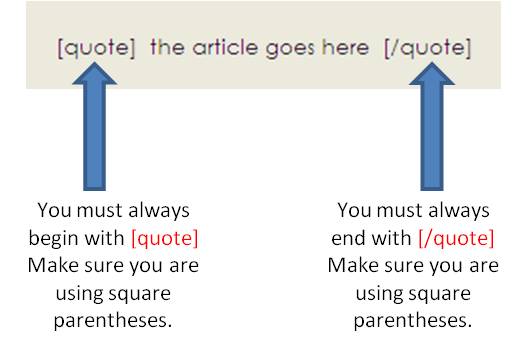
Begin the article by using the quote instruction and you must end it by using /quote instruction. If you randomly thow in quote or /quote in the middle of the text, the computer won't know what to do!
Please remember that all instructions to the computer must go inside square parentheses: [ or ] as in my example above. It won't work if you use the wrong shape parenthesis.
The easiest way to do this is simply to type [quote] at the beginning of whatever you're quoting:
Begin the article by using the quote instruction and you must end it by using /quote instruction. If you randomly thow in quote or /quote in the middle of the text, the computer won't know what to do!
Please remember that all instructions to the computer must go inside square parentheses: [ or ] as in my example above. It won't work if you use the wrong shape parenthesis.

Katiedot- Admin
- Posts : 13223
Join date : 2010-12-05
Re: HOW TO . . . quote text in your posts
by Katiedot Sat 03 Sep 2011, 09:19
There is another way to quote text which is by using the 'quote' button. You'll find this in another screen, so to get to that screen, you either need to click on the 'post reply' button near the top of your screen:

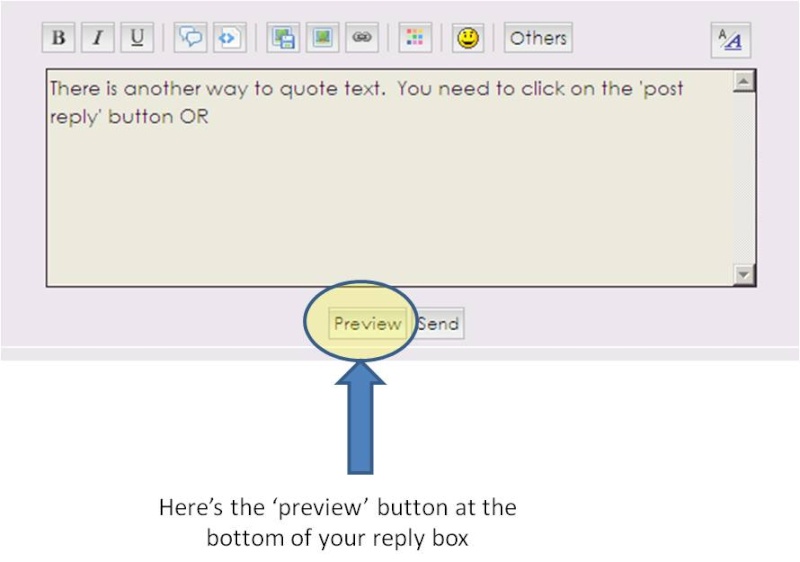
OR you can click on the 'preview' button at the bottom of your quick reply box:
When you've done that, you'll get a much longer toolbar just above your reply box. Highlight the text you want to quote and when you're sure it's all highlighted, click on the 'quote' button:
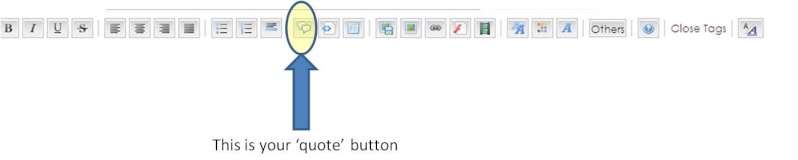
The computer will automatically put the text you highlighted inside quotes for you.
OR you can click on the 'preview' button at the bottom of your quick reply box:
When you've done that, you'll get a much longer toolbar just above your reply box. Highlight the text you want to quote and when you're sure it's all highlighted, click on the 'quote' button:
The computer will automatically put the text you highlighted inside quotes for you.
Katiedot- Admin
- Posts : 13223
Join date : 2010-12-05
Re: HOW TO . . . quote text in your posts
by blubelle Sat 03 Sep 2011, 16:29
This is soooo great. Thanks again.

blubelle- Ooh, Mr Clooney!
- Posts : 959
Join date : 2010-12-22
Re: HOW TO . . . quote text in your posts
by melbert Sat 03 Sep 2011, 16:30
Oh, so THAT'S how that is done... Damn, I'm an idiot!!!!

melbert- George Clooney fan forever!
- Posts : 19324
Join date : 2010-12-06
Location : George's House
Re: HOW TO . . . quote text in your posts
by pattygirl Sat 03 Sep 2011, 16:39
Again, thank you, thank you. You are really amazing.

pattygirl- Achieving total Clooney-dom
- Posts : 2827
Join date : 2011-02-26
Location : Staten Island, NY
Similar topics» Music can Part 2 - 2013!
» HOW TO . . . quote another poster in the forum
» HOW TO . . . quote several different people in one post
» Elisabetta Canalis - girlfriend 2009 - 2011 part 5
» Using the Quote Button
» HOW TO . . . quote another poster in the forum
» HOW TO . . . quote several different people in one post
» Elisabetta Canalis - girlfriend 2009 - 2011 part 5
» Using the Quote Button
Page 1 of 1
Permissions in this forum:
You cannot reply to topics in this forum
» 2025 False Epstein linkage
» 2025 Tudum Magazine
» Nov 2025 George & Amal in Philippines
» R director refects on "Hell and HIgh Water" episode
» Renewing this site
» Newest business venture for George & Rande
» Video- George is a carpool dad
» George Clooney & Annette Bening To Star In 'In Love' Movie